Designing a reception counter: materials, dimensions and details
A reception counter is a piece of furniture that is touched, leaned on and looked at all day. Get the heights, the accessible section, the hidden working side and the materials right, and it will carry the front of the office for years.
· 7 min read
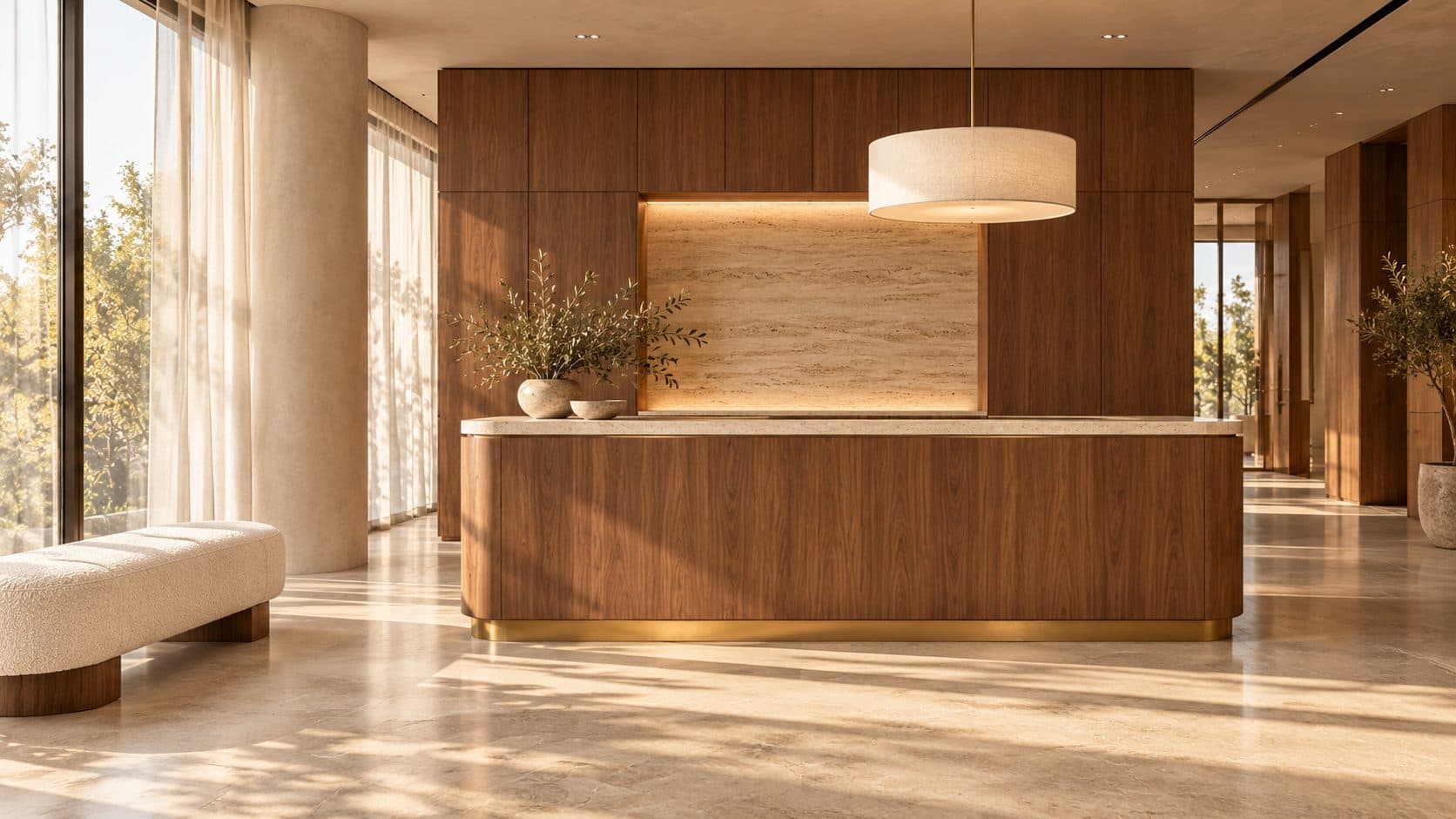
Illustration generated with AI. Not a POA project.
In this article · 9 chapters
- 01Two sides, two sets of needs
- 02Heights: the ledge, the work surface and the accessible section
- 03Plan, depth and the space around it
- 04The top: stone, timber, lacquer or solid surface
- 05The front: what people see and touch
- 06Power, data and cable management
- 07Lighting the counter
- 08Details that age well
- 09Frequently asked questions
A reception counter has two sides and two jobs. The front faces visitors and should be calm, well lit and pleasant to touch; the back is a workstation that has to hide screens, cables, parcels and a printer. Design it as one piece of joinery with a visitor ledge, a lower seated section anyone can be received at, a hard-wearing top and a front that can be repaired. Everything else follows from those four decisions.
Two sides, two sets of needs
Most counters disappoint because they were drawn from the visitor's side only. Start instead with a list of what the back has to hold. Typically that includes one or two screens, a keyboard and a telephone, a card printer or visitor badge system, a small drawer for keys and stationery, a lockable cupboard for parcels, a bin, a charging point and somewhere for a handbag. Draw all of that first, then wrap the visitor side around it.
The wider thinking about the whole arrival sequence is in our guide to reception design; this article stays with the counter itself.
Heights: the ledge, the work surface and the accessible section
A good counter has three heights, and the relationship between them is the whole design.
- The visitor ledge. This is where someone leans, signs a form or sets down a phone. It sits above the working surface so that screens and paperwork stay out of view, and it is deep enough to rest a forearm but not so deep that the receptionist is far away.
- The working surface. Behind the ledge, at normal desk height, with the same legroom and seat as any workstation. A receptionist sits for most of the day; the ergonomics should match the rest of the office.
- The accessible section. Part of the counter at seated-desk height with clear knee space in front and behind, so a visitor using a wheelchair, a child or someone who needs to sit is received face to face. Dubai's accessibility requirements and your building's own guidelines set the details, and your fit-out consultant should check the drawing against them before anything is cut.
Treat the lowered section as a design feature rather than a compliance add-on: a change in height is a natural place to change material or to break a long counter into two volumes.
Plan, depth and the space around it
Decide the plan shape from how people arrive, not from the brochure. A straight counter suits a reception that sees visitors one at a time. An L-shape or gentle curve lets one receptionist face both the door and the waiting area. A freestanding island reads well in a large lobby but needs power brought up through the floor, which has to be agreed early with the landlord and the fit-out contractor.
Allow generous clear space on the visitor side, so that two people can stand at the counter while a third passes behind them with a suitcase. Allow for the receptionist's chair to roll back and for a second chair at busy times.
The top: stone, timber, lacquer or solid surface
The top takes keys, bags, laptops, coffee cups and cleaning spray every day.
- Stone. Travertine, marble and limestone give the warmest surfaces, especially with a honed finish rather than a high polish. Softer stones mark and etch over time, which is a patina some clients like and others do not. A slim stone top on a timber or metal sub-frame keeps weight under control.
- Timber. A solid timber or veneered top with a solid edge is pleasant to touch and easy to refinish; we compared the common species in walnut, oak or ash for office furniture. Protect the edge where bags hit it.
- Lacquer. Gives a colour and an even surface that cleans easily. Edges can chip, so it is better on the front panel than on the ledge.
- Solid surface and porcelain. Hard-wearing, seamless and repairable, with a more technical look. Good for high-traffic receptions and healthcare, less warm in a small studio.
The guide to lacquer, veneer and solid wood finishes explains how these behave under Dubai air-conditioning and cleaning routines; the same rules apply to the counter.
The front: what people see and touch
The front panel is seen from the door and touched by knees and bags, and it is the largest surface for expressing the company without a logo. Useful approaches include fluted or slatted timber, which hides fingerprints and scuffs in its shadows; bookmatched veneer across a long run; a band of stone or metal at kick height where shoes and vacuum cleaners hit; and an inset plinth that lets the counter float and makes the floor easier to clean. A recessed toe space on the visitor side is a small detail that makes standing at the counter comfortable.
Brushed stainless, bronze-toned finishes and brass hold up well at the base and edges. The Terracotta Studio uses a curved stainless counter against a coloured wall; the Cobalt Headquarters pairs travertine and steel. Both are examples of the studio's design work rather than named clients.
Power, data and cable management
Plan the cable routes before the joinery is drawn.
- Bring power and data to the counter in one agreed position, either through the floor or from the wall behind. A floor box under the counter is the cleanest answer for an island; confirm with building management whether the slab can be cored.
- Run a continuous cable tray along the back of the working side, with a removable panel so IT can reach it without dismantling the desk.
- Put sockets and USB charging under the ledge on the receptionist's side, not on the visitor side, unless you want visitors to charge phones there.
- Allow a grommet or slot for each screen, and leave spare capacity for a second screen or a tablet-based visitor system.
These routes are easier to coordinate when the counter is designed with the fit-out rather than ordered afterwards, which is one reason we handle bespoke office furniture alongside the interior.
Lighting the counter
Light the receptionist's face, not the top of their head. A pendant or a pair of pendants slightly in front of the counter, a soft wash on the wall behind, and a concealed strip under the ledge that grazes the front panel together make a counter read clearly from the door without glare on the screens. Avoid a downlight directly over the working surface, which puts shadows under the eyes and reflections on monitors. Our article on office lighting in Dubai covers how to balance this with the sun coming through a glazed lobby.
Backlit stone behind the counter works when the light is even and dimmable, and fails when the panel shows the LED lines or silhouettes the receptionist.
Details that age well
- Specify a solid edge on any veneered surface, so knocks can be sanded.
- Keep the plinth recessed and in a dark or metal finish, where scuffs do not show.
- Choose a top that can be re-honed or re-oiled rather than one that has to be replaced.
- Ask the joiner for a sample of every junction: stone meeting timber, timber meeting metal. The junctions are where quality shows.
- Leave a clear surface on the visitor side with nothing on it.
If you are planning a new front of house or replacing a tired counter, tell us about your space and we will draw it with the room it belongs to.
Frequently asked questions
How high should a reception counter be?
A counter has three heights: a visitor ledge at standing elbow height, a working surface behind it at normal desk height, and a lowered accessible section at seated-desk height with clear knee space. Exact figures depend on local accessibility requirements and your building's guidelines, so have the fit-out consultant check the drawing before manufacture.
What is the most durable material for a reception counter top?
Honed stone, solid surface and porcelain resist daily wear best. Honed travertine and limestone are warmer but mark over time, and timber tops are easy to refinish if they have a solid edge.
Can a reception counter be freestanding in the middle of a lobby?
Yes, if power and data can reach it. That usually means a floor box, which requires coring the slab and the building's approval, so agree it early with building management and the fit-out contractor.
Should the reception counter match the rest of the office furniture?
It should share the palette rather than copy the desks. Using the same timber species or stone as the meeting rooms ties the reception to the floor behind it, while a change of scale or detail lets the counter act as the focal point from the door.
How do we hide screens and cables on a reception desk?
Raise the visitor ledge above the working surface so monitors sit behind it, run a cable tray along the back of the desk with a removable access panel, bring all services to one agreed point, and put sockets on the receptionist's side under the ledge.